<?xml version="1.0" encoding="charset=iso-8859-1"?>
<!DOCTYPE html 
     PUBLIC "-//W3C//DTD XHTML 1.0 Transitional//EN"
     "http://www.w3.org/TR/xhtml1/DTD/xhtml1-transitional.dtd">

<html xmlns="http://www.w3.org/1999/xhtml" xml:lang="en" lang="en">

<head>
<title>8.02T - Electrostatics Visualizations - The Electrostatic Zoo.</title>
<!-- MIT OCW Image Gallery Template Version 1.0: February 18, 2005 - ocw-prod-request@mit.edu -->
<meta http-equiv="Content-Type" content="text/html; charset=iso-8859-1" />
<link href="//ocw.mit.edu/OcwWeb/style/core.css" type="text/css" rel="stylesheet" />
<link rel="home" title="Home" href="//ocw.mit.edu" />
<link rel="home" title="Up" href=http://ocw.mit.edu/OcwWeb/Physics/8-02TFall-2004/Visualizations/detail/electrostatics.htm /><link rel="prev" href=../36-electrostaticforce/36-esforce320.html />
<link rel="next" href=../38-videogame/38-EMVideoGame320.html />


</head>
<body>

<div class="gallerybody">

<p id="gallerynav" class="bodycopy">
&lt;&lt;&lt; <a href=../36-electrostaticforce/36-esforce320.html accesskey="P" tabindex="1">PREVIOUS</a> 
- <a href=../38-videogame/38-EMVideoGame320.html accesskey="N" tabindex="3">NEXT</a> &gt;&gt;&gt;
</p>

<p><img src=../images/37-zoo320.jpg alt="The Electrostatic Zoo." /> </p>

<p>SUBJECT: <i>The Electrostatic Zoo</i></p>
<p><b>NOTE: You must be connected to the Internet to view this simulation!</b></p>
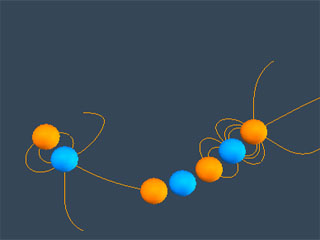
<p>DESCRIPTION: <i>The Electrostatic Zoo</i> simulates the interaction between charged particles, and illustrates the electric fields generated as a result. Charges in the Zoo interact via the Coulomb force, with a Pauli repulsive force at close distances and a damping force proportional to velocity. The fields can be visualized in two ways: a &quot;grass-seeds&quot; representation (click on &quot;Grass Seeds &quot;), or a traditional vector field representation (adjust the &quot;Field Visualization&quot; slider), in addition to the real time renderings of the local field around each particle.</p>
<p>Use Start button to start simulation. Use Pause button to pause simulation. Click and drag on any particle to change its position. Use &quot;Grass Seeds&quot; to get a &quot;grass-seeds&quot; representaton of the electric field. Use &quot;Equipotential Lines&quot; to get a representaton of the electric potential field. Select and click &quot;remove&quot; to remove charge. Use &quot;Add Random Positive&quot; and &quot;Add Random Negative&quot; to add a positive or negative charge, respectively. Use &quot;Toggle Field Lines on Selected&quot; to toggle fieldlines on the selected charge(s). Control-click to select multiple charges.</p>
<p>VISUALIZATION: <a href="//web.mit.edu/8.02t/www/802TEAL3D/simulations/zoo.jnlp">Start Simulation</a> (you must have <a href="//java.sun.com/j2se/1.4.2/download.html" target="_blank">Java&#153; J2SE v1.4+ JRE</a> installed. Mac OS X users need the <a href="//www.apple.com/support/downloads/java3dandjavaadvancedimagingupdate.html" target="_blank">Java3D update</a>.)</p>
</div>
</body>
</html>
